The problem with manual production records
On most shop floors, production is still recorded by hand. Operator log sheets and the machine counter rarely agree. Short stops are not written down. Nobody knows which number is right, and by the time anyone checks, the shift is gone.
Automatic data from the machine itself
TnG Machine Monitoring connects to each machine and records what it actually does, live, every 100 milliseconds. There is no data entry for counts, cycle times or running time. The result is one shared production record your whole team trusts.
What you can see in real time
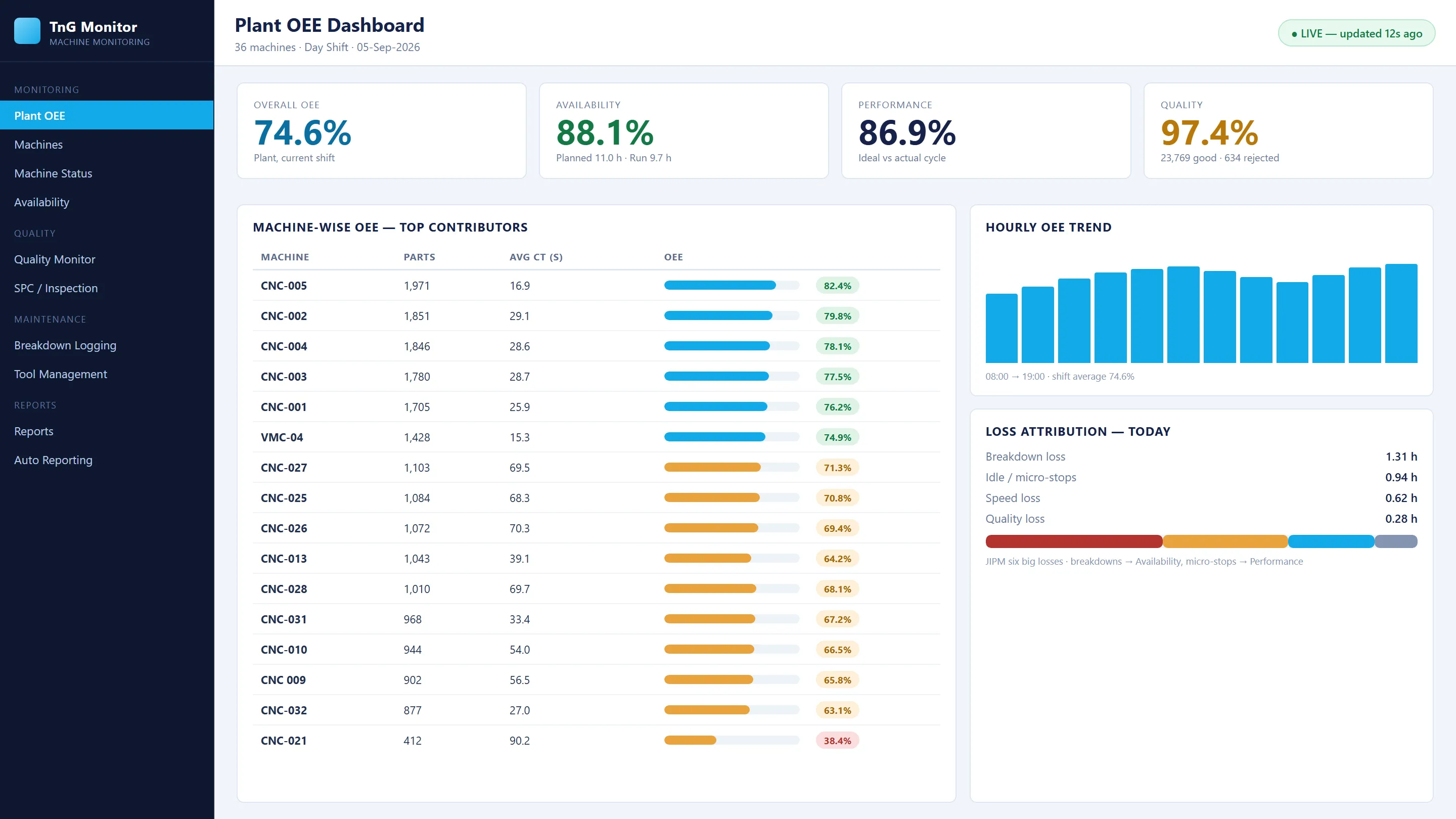
- Plant overview: every machine’s running, idle, alarm or offline state on one screen, with plant-level OEE, availability and productivity.
- Machine dashboard: active part and operator, current versus average cycle time against target, and system count versus the machine’s part counter.
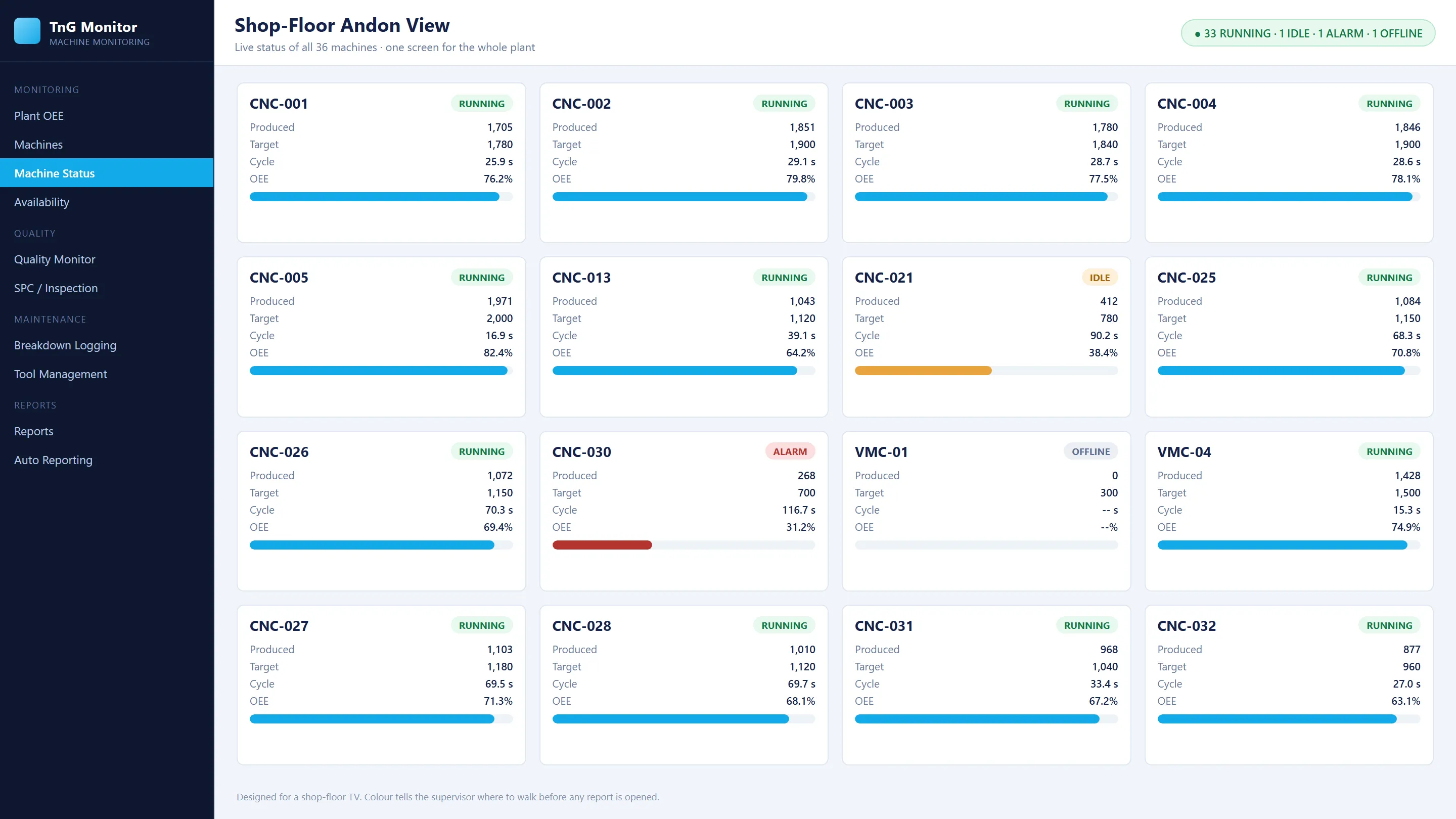
- Andon TV: a shop-floor screen with status, target, production and cycle time for every machine, colour-coded for running, idle and alarm.
- Mobile app: machine status, production, alarms and open breakdowns on Android.
Data you can trust
Collecting data is easy. Collecting honest data is harder. TnG is designed so gaps are shown, not hidden:
- Count reconciliation. System count and the machine’s own part counter are compared, and cycles needing review are flagged.
- Multi-piece cycles. One cycle producing 1 to 9 pieces is counted correctly without duplicating cycle records.
- Running-part detection. The part running on each machine is identified from the part master, so targets and cycle times are always the right ones.
- Interrupted cycles. Resets, alarms and power-loss events are recorded against the affected cycle. Unknown timing stays visible instead of being guessed.
- Captured history. Each cycle keeps the part, operator and approved cycle settings that applied at the time, so past reports never change.
From data to decisions
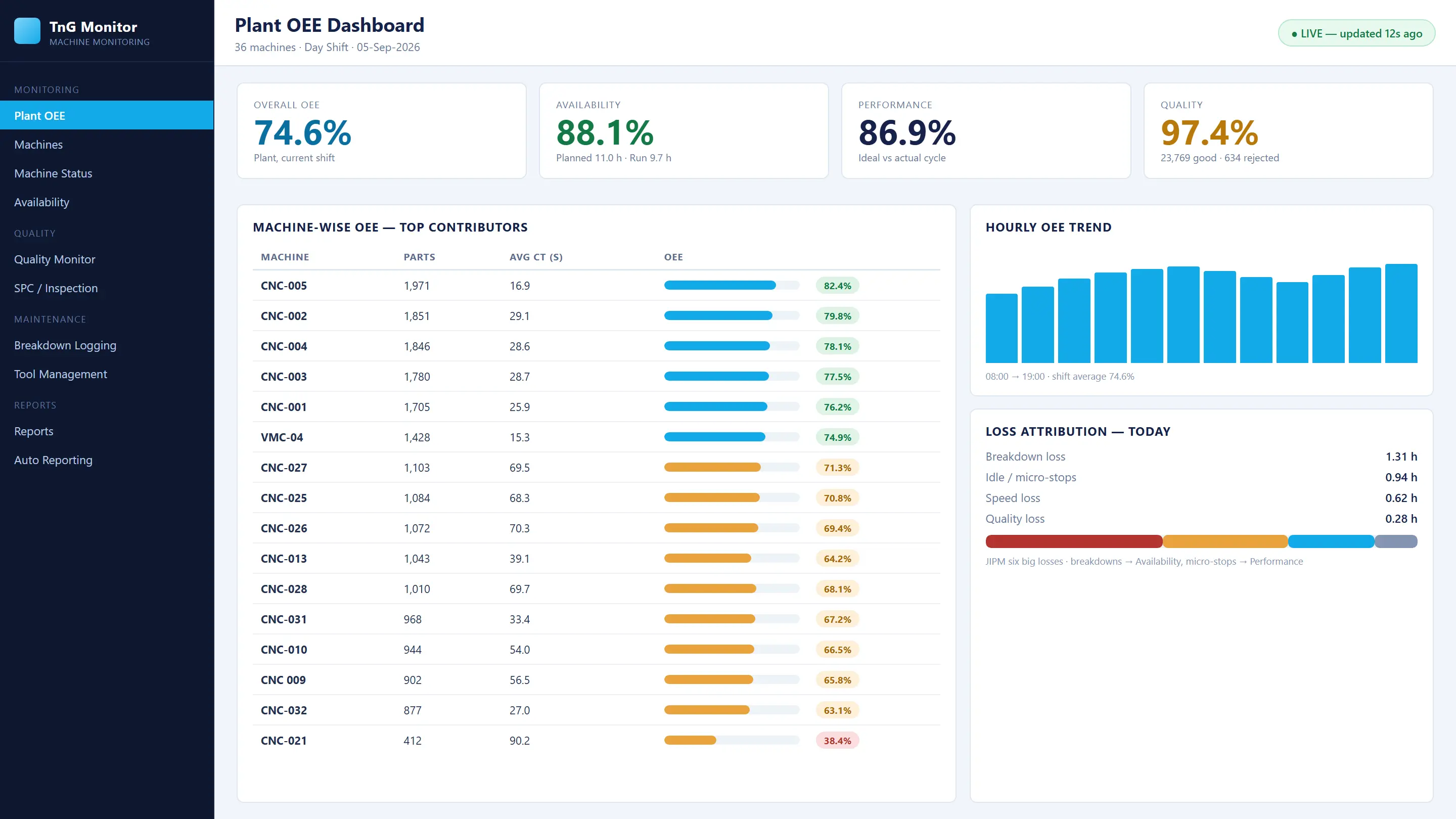
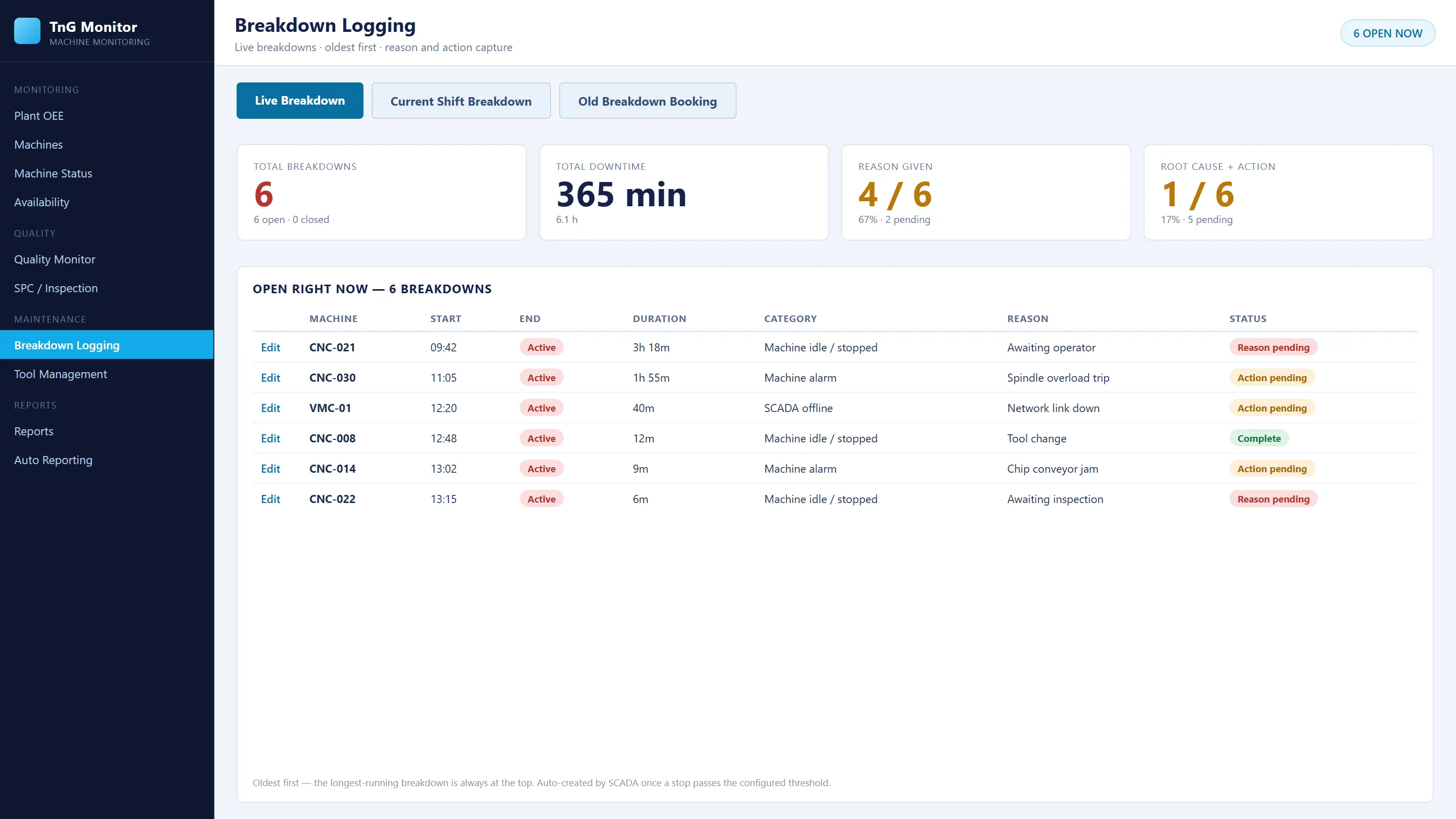
The same record feeds live OEE, automatic breakdown records with reasons, department alerts, part-wise production reports and scheduled Excel/PDF reports by email. Desktop, web, mobile and reports always show the same numbers.
New and legacy machines
Modern CNCs with Ethernet are read directly from the controller. Older CNCs without Ethernet, conventional machines, presses and special-purpose machines are connected through TnG connection hardware. See Industry 4.0 retrofit for legacy machines.